How QR Codes Work: Finder Patterns, Error Correction and Masking
Why a smudged, tilted, half-covered square still opens the right link, and what that means when you make your own
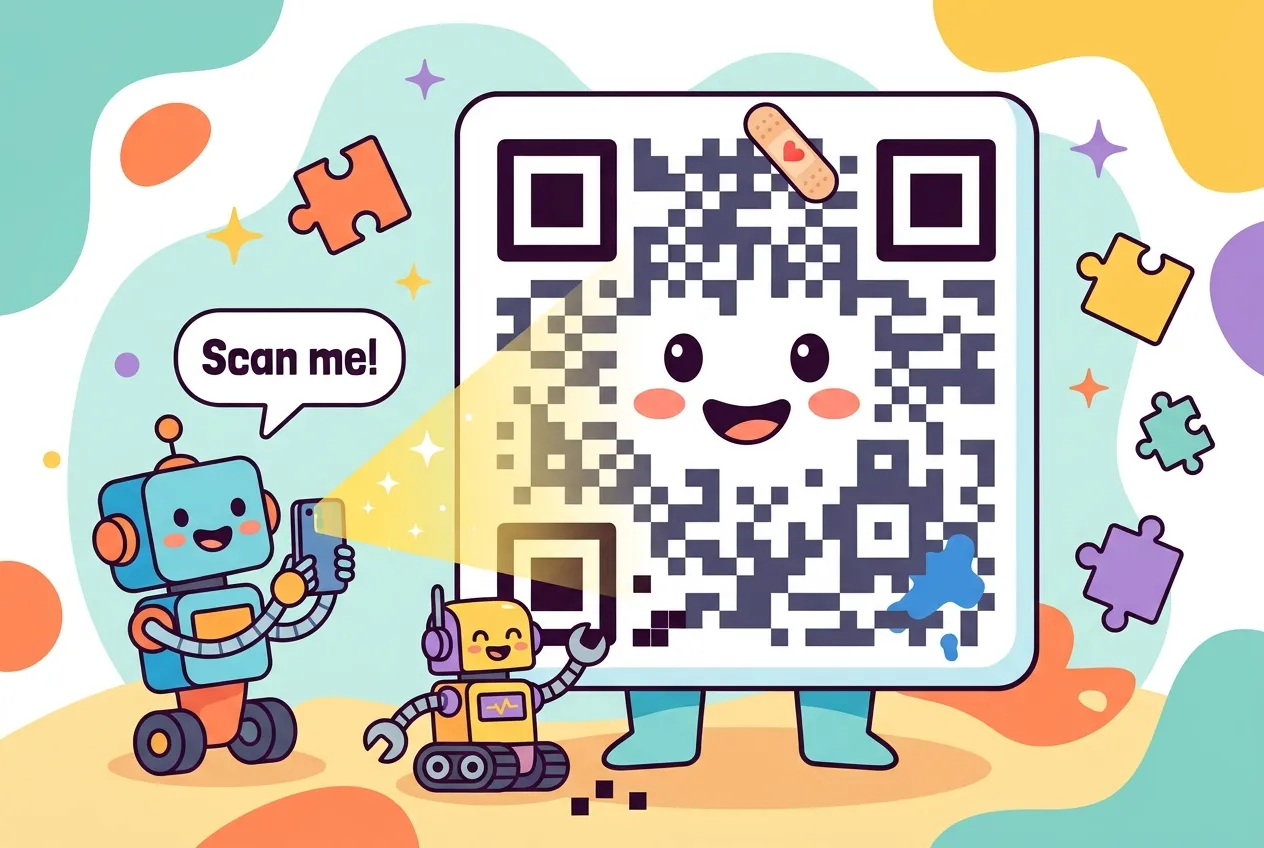
You point your phone at a restaurant table, a parking meter or a boarding pass, and a link pops up before you've even steadied your hand. The code can be crumpled, tilted or half covered by a sticker and it still works. That's not luck. It's careful engineering packed into a grid of black and white squares.
This guide explains how QR codes work: how a scanner finds and straightens the code, how your text becomes bits, how Reed-Solomon error correction rebuilds missing pieces, and why every code is deliberately scrambled with a "mask" before it's printed. We'll finish with what that means for anyone generating codes, and how to scan them safely.
A factory invention that escaped into the world
The QR ("quick response") code came out of the auto industry. A team led by engineer Masahiro Hara at Denso Wave, then part of Denso Corporation, released it in 1994 to track car parts on production lines. Workers wanted a code that held far more than a one-dimensional barcode, read quickly, and survived dirt and odd angles.
Two decisions made it universal. Denso Wave kept its patent rights but announced it would not exercise them, and the format was published as an open international standard, ISO/IEC 18004. Anyone can build a generator or a scanner without paying a license fee, which is why the same code works in every phone camera app.
Anatomy of a QR code
A QR code is a square grid of modules (the little squares). The grid size is called the version. Version 1 is 21×21 modules, and each version adds four modules per side, up to version 40 at 177×177. Not every module carries your data; several fixed structures exist purely to help the scanner.
Finder patterns: "I'm a QR code, and this way is up"
The three big squares in the corners are finder patterns. Each is a 7×7 dark ring around a 5×5 light ring around a 3×3 dark center. Slice through one in any direction and the run of dark-light-dark-light-dark widths comes out in a 1:1:3:1:1 ratio. Scanners hunt for exactly that ratio, which is rare in ordinary images. Finding three of them tells the decoder where the code is, how big it is, and how it's rotated, which is why you can scan a QR code upside down.
The supporting cast
- Separators: a one-module light border that keeps each finder pattern visually apart from the data.
- Timing patterns: a row and a column of alternating dark and light modules running between the finders. They act as a ruler, so the decoder knows where each module's center sits even when the image is stretched.
- Alignment patterns: smaller 5×5 bull's-eyes that appear from version 2 upward and help correct warping, such as a code printed on a curved bottle.
- Format information: 15 bits stored twice beside the finders, recording the error-correction level and which mask was used.
- Version information: for version 7 and larger, an 18-bit block placed twice, protected by its own Golay error-correcting code.
- Quiet zone: a blank margin at least four modules wide around the whole symbol, so the scanner can tell where the code ends and the background begins.
From text to bits: encoding modes
Before anything is drawn, the encoder picks the most compact mode for your data. A short mode indicator and a character count come first, then the packed data. Choosing well matters, because a tighter encoding can drop the code to a smaller version that's easier to scan.
| Mode | What it holds | Packing | Max (version 40, level L) |
|---|---|---|---|
| Numeric | Digits 0–9 | 3 digits in 10 bits | 7,089 digits |
| Alphanumeric | 0–9, uppercase A–Z, space and $ % * + - . / : | 2 characters in 11 bits | 4,296 characters |
| Byte | Any 8-bit data, such as URLs or UTF-8 text | 8 bits each | 2,953 bytes |
| Kanji | Japanese characters | 13 bits each | 1,817 characters |
Notice that alphanumeric mode has no lowercase letters. A URL with lowercase characters falls into byte mode, which is one reason short links make denser-looking codes much simpler. If you've ever wondered how characters become bytes in the first place, our guide to how Unicode and UTF-8 work covers that layer.
Reed-Solomon error correction: how damaged QR codes still scan
The data is split into 8-bit codewords, and the encoder appends extra Reed-Solomon codewords calculated from them. Reed-Solomon treats the data as a polynomial and adds redundant values, so a decoder can solve for the original even when some codewords are wrong or missing. It's the same family of math used on music CDs and in deep-space communication, and it's especially good at burst damage, like a smudge that wipes out a whole patch.
You choose how much redundancy to add with one of four levels:
| Level | Recoverable codewords | Typical use |
|---|---|---|
| L (Low) | About 7% | Clean screens and lots of data |
| M (Medium) | About 15% | The most common general-purpose choice |
| Q (Quartile) | About 25% | Labels and signs that get handled or dirty |
| H (High) | About 30% | Harsh environments, or codes with a logo in the middle |
The catch: Reed-Solomon needs two extra codewords for every one it can fix, so higher levels mean more modules and a bigger, denser code. Denso Wave notes that the percentages are measured against all codewords, including the correction data itself. That centered-logo trend works only because level H can treat the covered modules as damage and rebuild them.
Masking: why every QR code is deliberately scrambled
Raw data can produce awkward patterns: big solid blobs, long stripes, or accidental shapes that look like a finder pattern. Any of those can confuse a camera. So the encoder XORs the data region with one of eight standard mask patterns, such as a checkerboard or every third column, flipping modules where the mask says to. Function patterns like the finders and timing lines are never masked.
To pick the mask, the encoder tries all eight and scores each with four penalty rules:
- Long runs of the same color in a row or column.
- Solid 2×2 blocks of one color.
- Sequences that mimic the 1:1:3:1:1 finder ratio, which carry a heavy 40-point penalty each.
- An overall dark-to-light balance far from 50/50.
The mask with the lowest total wins, and its number is written into the format information so the scanner can undo it. Reading a QR code is the same story in reverse: find the finders, sample the grid, read the format bits, remove the mask, fix errors with Reed-Solomon, then decode the mode and data.
Generating a QR code in a few lines
You rarely implement all of this by hand. The popular open-source qrcode package for Python handles versions, modes, error correction and masking for you:
# pip install "qrcode[pil]"
import qrcode

qr = qrcode.QRCode(
    version=None,  # let the library pick the smallest version that fits
    error_correction=qrcode.constants.ERROR_CORRECT_Q,
    box_size=10,   # pixels per module
    border=4,      # quiet zone in modules (4 is the spec minimum)
)
qr.add_data("https://zartonai.com/")
qr.make(fit=True)
qr.make_image(fill_color="black", back_color="white").save("zarton-qr.png")ERROR_CORRECT_H if you plan to place a logo over the center.A few practical rules follow directly from the structure above:
- Keep the quiet zone. Cropping it is the most common reason a printed code fails.
- Keep contrast high, with dark modules on a light background.
- Encode less. A shorter URL means a lower version, bigger modules, and faster scans from farther away.
- Test the final printed size on several phones before a big print run.
Scanning safely: QR codes are just links
A QR code can't tell you where it leads until you scan it, and scammers know it. The U.S. Federal Trade Commission has warned about fake codes stuck over real ones on parking meters and codes sent in emails or texts that invent an urgent problem, such as a missed delivery or a locked account. The destination can be a convincing fake login page.
Once you land on the page, the usual web protections apply. Our explainer on how HTTPS works shows what the padlock does and doesn't promise.
Key takeaways
- QR codes were invented by Denso Wave in 1994 and became universal because the patent was never enforced and the format is an open ISO standard.
- Three finder patterns with a 1:1:3:1:1 ratio let scanners locate and orient a code from any angle.
- Data is packed in numeric, alphanumeric, byte or kanji mode; smarter packing means a smaller code.
- Reed-Solomon error correction recovers roughly 7%, 15%, 25% or 30% of codewords at levels L, M, Q and H.
- One of eight masks is applied to avoid confusing patterns, chosen by a penalty score.
- Always check where a scanned link goes before entering any information.
Frequently asked questions
How much data can a QR code hold?
The largest version 40 code at error-correction level L holds up to 7,089 digits, 4,296 alphanumeric characters or 2,953 bytes. Higher error-correction levels and smaller versions hold less.
Why does a QR code still work when part of it is damaged?
QR codes include Reed-Solomon error-correction codewords. Depending on the level chosen, a decoder can rebuild roughly 7% to 30% of the codewords even if they're smudged, torn or covered.
Can I put a logo in the middle of a QR code?
Yes, if you generate the code at a high error-correction level, usually H, and keep the logo small. The scanner treats the covered modules as damage and reconstructs them. Always test it on several phones.
Do QR codes expire?
A printed QR code never expires on its own, because the data is in the pattern. A "dynamic" code that points to a redirect service stops working if that service or the destination page goes away.
Is it safe to scan any QR code?
Scanning just reveals a link, but opening it can lead to a scam site. Check the URL before opening it, avoid codes in unexpected messages, and never enter passwords on a page reached from an unfamiliar code.
Sources
- Denso Wave: QR Code error correction feature
- Thonky QR Code Tutorial: data masking and penalty rules
- Thonky QR Code Tutorial: format and version information
- Thonky QR Code Tutorial: finder, timing and alignment patterns
- php-qrcode documentation: QR Code terminology and quiet zone
- python-qrcode project on GitHub
- PYMNTS: FTC warns consumers about scammers' use of QR codes








Comments
No comments yet — be the first to share your thoughts.
Join the discussion