How Floating-Point Numbers Work: IEEE 754, Precision and Why 0.1 + 0.2 Isn't 0.3
What the 64 bits inside a double really hold, why simple decimals round, and how to keep rounding errors out of your code
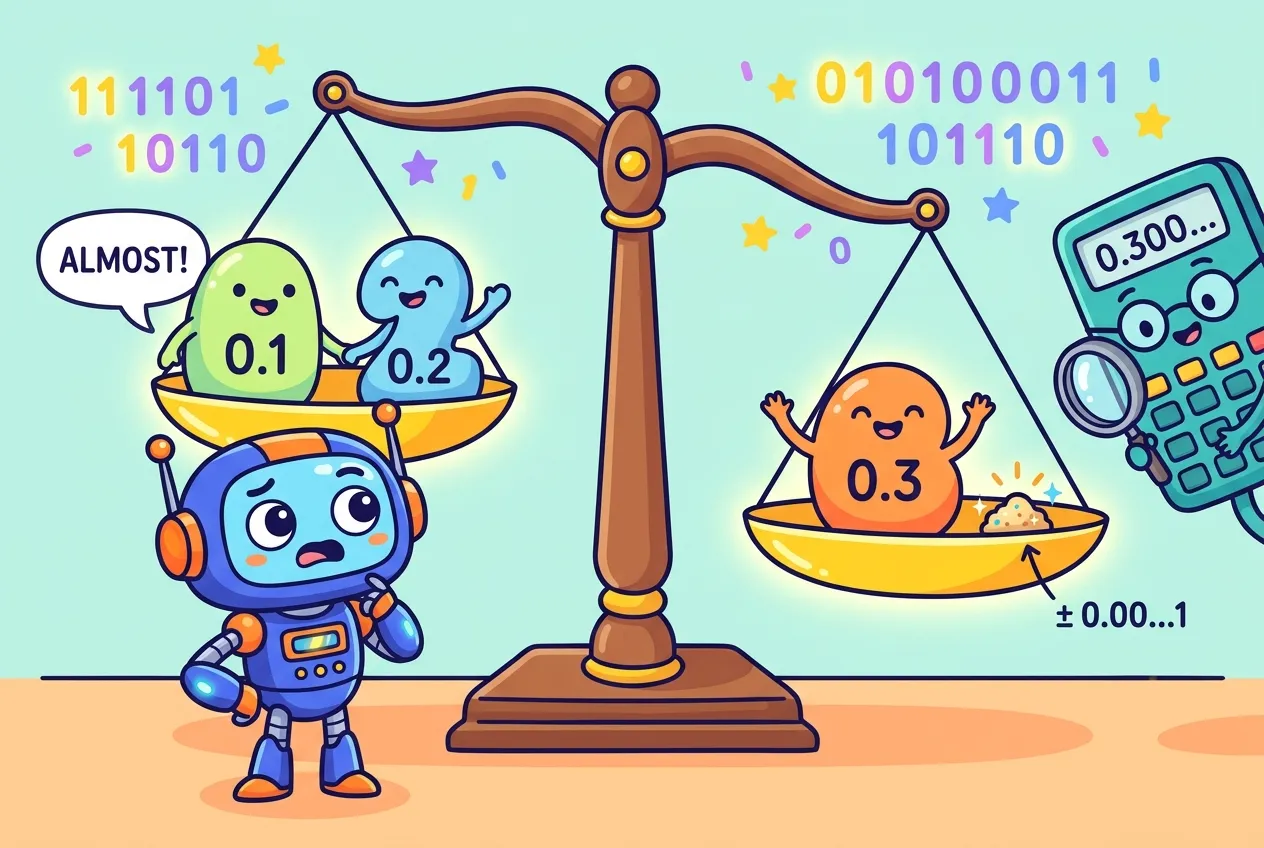
Open a browser console, type 0.1 + 0.2, and press Enter. The answer is 0.30000000000000004. Your computer is not broken, and JavaScript is not uniquely weird: Python, Java, C and most other languages print the same thing.
The culprit is the way almost every computer stores fractional numbers. This guide explains how floating-point numbers work under the IEEE 754 standard: what the 64 bits inside a "double" mean, why simple decimals like 0.1 cannot be stored exactly, where precision runs out, and the practical habits that keep rounding errors out of your bugs and your invoices.
Scientific notation, but in binary
You already know the idea behind floating point from school. Writing 6,020,000 as 6.02 × 10⁶ splits a number into significant digits and a scale. The decimal point "floats" to wherever the exponent puts it, which lets one compact format describe both the width of an atom and the distance to a galaxy.
Computers do the same thing in base 2. A floating-point value is stored as a sign, a set of significant binary digits (the significand, sometimes called the mantissa) and an exponent that says how far to shift the binary point. The rules for doing this consistently are set by IEEE 754, first published in 1985, revised in 2008 and most recently updated as IEEE 754-2019. It defines binary and decimal formats, how arithmetic must round, and what happens in edge cases such as overflow or dividing by zero.
How floating-point numbers work inside 64 bits
The format you meet most often is binary64, better known as double precision. It is the double in C and Java, the float in Python, and the only regular number type in JavaScript. Its 64 bits are split into three fields:
- Sign (1 bit): 0 for positive, 1 for negative.
- Exponent (11 bits): stored with a bias of 1023, so ordinary numbers cover powers of two from 2−1022 to 21023.
- Fraction (52 bits): the digits after the binary point. For normal numbers there is also an implied leading 1 that is never stored, which gives 53 bits of precision.
Those 53 bits work out to roughly 15 to 17 significant decimal digits. That is plenty for physics and graphics, but it is a fixed budget, and every result must be rounded to fit it.
| Format | Total bits | Exponent bits | Precision | Typical use |
|---|---|---|---|---|
| binary16 (half) | 16 | 5 | 11 bits | Graphics, machine learning |
| binary32 (single) | 32 | 8 | 24 bits (~7 digits) | float in C, Java and GPUs |
| binary64 (double) | 64 | 11 | 53 bits (~15–17 digits) | JavaScript numbers, Python float |
Special values
Some bit patterns are reserved. An exponent field of all ones with a zero fraction means positive or negative infinity, which is what you get from 1 / 0 in JavaScript. All ones with a non-zero fraction means NaN ("not a number"), the result of nonsense like 0 / 0. NaN is famously not equal to anything, including itself. There is also a negative zero, which compares equal to positive zero, and a band of tiny subnormal numbers that let values fade gradually toward zero instead of dropping off a cliff.
Why 0.1 + 0.2 is not 0.3
In base 10, one third becomes 0.3333… and never ends. Base 2 has the same problem with different numbers. Only fractions whose denominator is a power of two, such as 0.5, 0.25 or 0.625, have a finite binary form. One tenth in binary is the endless repeating pattern 0.000110011001100…, so it must be cut off and rounded at 53 bits.
The Python documentation shows exactly what gets stored for 0.1: the fraction 3602879701896397 / 255, which is a hair larger than one tenth. Written out in full it is 0.1000000000000000055511151231257827021181583404541015625. Languages hide this by printing the shortest decimal that rounds back to the same bits, which is why you normally just see 0.1.
Add two slightly-too-large approximations, round the sum to the nearest double, and you land one step above the double nearest to 0.3. Now the shortest faithful printout is 0.30000000000000004. You can peek at the real bits yourself:
# Python
>>> 0.1 + 0.2
0.30000000000000004
>>> (0.1).hex()            # exact bits, in hexadecimal
'0x1.999999999999ap-4'
>>> from decimal import Decimal
>>> Decimal(0.1)           # the true stored value
Decimal('0.1000000000000000055511151231257827021181583404541015625')Each operation can add an error of about one part in 253. That is tiny, but errors accumulate across loops, and a strict equality test notices even one stray bit.
Where precision runs out: big integers
Floating point is also why JavaScript has a "safe integer" limit. With 53 bits of precision, every whole number up to 253 − 1 (9,007,199,254,740,991) can be represented exactly. MDN exposes this as Number.MAX_SAFE_INTEGER. Beyond it, the gap between neighbouring doubles grows to 2 and then more, so different integers start collapsing into the same value:
// JavaScript
Number.MAX_SAFE_INTEGER + 1 === Number.MAX_SAFE_INTEGER + 2  // true (!)
Number.isSafeInteger(2 ** 53)                               // false
9007199254740993n + 1n                                      // BigInt: exact
This bites in real systems: 64-bit database IDs or social media post IDs sent as JSON numbers can be silently changed when a browser parses them. The usual fix is to send large IDs as strings, or to use BigInt when you truly need integer arithmetic.
Practical rules for working with floats
- Never compare floats with
==. Check whether two values are close instead. Python offersmath.isclose(); in other languages, compare the difference against a tolerance that suits your scale. - Don't store money in binary floats. Use integer cents, or a decimal type such as Python's
decimalmodule, Java'sBigDecimalor SQL'sDECIMAL/NUMERICcolumns. If you are designing tables, our guide to how database indexes work covers more of what happens under the hood. - Round for display, not for logic. Format the final result to the digits a person needs, but keep full precision in calculations.
- Sum carefully. Adding many values can drift. Python's
math.fsum()tracks lost low-order digits and rounds only once at the end. - Use exact types when you need exact answers. Fractions, decimals and big integers are slower, but they do not round behind your back.
import math
from decimal import Decimal

math.isclose(0.1 + 0.2, 0.3)          # True
Decimal("0.10") + Decimal("0.20")     # Decimal('0.30'), exact
price_cents = 1999 + 1 # 2000 cents, no rounding at allText has its own version of "the bytes are not what you think." If you enjoyed this, see how Unicode and UTF-8 turn characters into bytes.
Key takeaways
- Floating point is scientific notation in base 2, standardized by IEEE 754.
- A double has 1 sign bit, 11 exponent bits and 52 stored fraction bits, giving 53 bits (about 15–17 digits) of precision.
- Most decimal fractions, including 0.1, repeat forever in binary and must be rounded, which is why 0.1 + 0.2 prints 0.30000000000000004.
- Integers are exact only up to 253 − 1; send bigger IDs as strings or use BigInt.
- Compare with a tolerance, keep money in integers or decimals, and round only for display.
Frequently asked questions
Is 0.1 + 0.2 a bug in JavaScript?
No. JavaScript follows the IEEE 754 double-precision standard, like most languages. Python, Java and C produce the same result because they store 0.1 and 0.2 as the same rounded binary values.
How many decimal digits can a double hold?
A double has 53 bits of precision, which corresponds to roughly 15 to 17 significant decimal digits. Beyond that, digits are rounding noise.
Should I use floats for money?
It is best not to. Store amounts as integer cents or use a decimal type such as Python's decimal module, Java's BigDecimal or a SQL DECIMAL column, so values like 0.10 are kept exactly.
Why does NaN not equal itself?
IEEE 754 defines NaN as an unordered value that compares unequal to everything, including itself. Use helpers like Number.isNaN in JavaScript or math.isnan in Python to test for it.
Sources
Curious how programs manage the memory these numbers live in? Read how garbage collection works.










Comments
No comments yet — be the first to share your thoughts.
Join the discussion